- It will make Data Transfer easier between iPhone and Android
- According to a report by The Telegraph, Apple is working on a tool that will allow iPhone users to easily transfer their data like contacts, music and photos if they switch to Android.
- Actually, according to report Apple is under pressure from European telecom operators to develop a tool to let users swap platforms more easily.
- In present, Apple already has a tool in the form of an app that makes it easier to move from Android to iOS. It will be interesting to see if Apple makes this a two-way street.
Reviews, Rumours And More...
Showing posts with label Software info. Show all posts
Tuesday, 12 January 2016
Wednesday, 7 October 2015
10 Best Offline Games For Your Android
1.
EA Sport UFC: This is a best game that you would love to
play in Android. It brings the interesting MMA to your fingerprints like never
before. HD-quality visuals and action packed gameplay create a unique combat
experience for novice and veteran fight fans alike.
2.
Crossy Road: This is one of the best arcade games that are
now available for android after its release PC version. This game is amazing
one to play when you don’t have internet connection in your Android.
3.
Limbo: Another game that will help to pass out your free time.
Limbo is genius. Freaky, weird genius. Disturbing, uncomfortable genius.
4.
Swing copters: This is one the best and addictive games that
works without internet connection. In this game you have to tap to flip the
direction and avoid obstacle and you will get 4 medals to unlock more
characters.
5.
Baldur’s Gate II: In this game you resist the evil within
you, forge a legend of heroic proportions, and ultimately destroy the dark
essence that haunts your dreams. So must give a try to this game in your
device.
6.
Sorcery! 2: The best ever game that you will love to play in your
android without internet connection. With a seemingly endless number of
outcomes, sorcery 2 offers hours upon hours of gameplay… one of the best games.
7.
BADLAND: This is most popular games that are an offline playing
game. Fly and survive through the Game of the year winning action game
adventure BADLAND. There are more than 20 MILLION players that had played this
game till now.
8.
Temple Run 2: This is well known game and popular among
all game lovers. The best games by which you can pass out your free time. Must
try out this game in your android device and have fun playing with this.
9.
X-Men- Days of Future Past: It’s been long time coming, but
Android gamers finally get to dig into Marvel’s side-scrolling beat-em-up. It
needs no internet connection and there are no in-app purchases, once you buy
the game, you can start powering through beautifully drawn environments as your
favourite Marvel superheroes.
10.
Shadowrun Returns: A favourite among the Humble Bundle squad,
Shadowrun Returns is another award-winning turn-based fantasy RPG. With a murky
cyberpunk setting, great 3D graphics, and a huge array of weapons, spells and
abilities, Shadowrun Returns is about as polished a gaming experience as you
are likely to find on Android.
For more updates, stay tuned…
Saturday, 3 October 2015
So here are the details about the devices that will be receiving this
official update.
Have a look on this and find whether your device is in this
list or not?
1.
Motorola Phones: Moto X, Moto X Play, Moto X Style, Droid
Turbo, and Moto G 2nd & 3rd Gen.
2.
Google Nexus Phones: Nexus 5, Nexus 6, Nexus 9, Nexus 4(probably)
and the upcoming Nexus 5 2015 & Nexus 6 2015.
3. Samsung
Phones: Galaxy S5, Galaxy S6 & S6 Edge, Galaxy S6 Edge+, Galaxy
A7, Galaxy A8, Galaxy Alpha, Galaxy Note 4 (probably) and Galaxy Note 5.
4.
Sony Phones: Sony C5 Ultra, Xperia M5, Xperia Z1, Z2 &
Z3, Z3 Compact, Xperia Z3 Plus, Xperia Z4 and latest Xperia Z5 & Z5
Premium.
5.
Google Android One Series: Micromax Canvas A1, Karbonn sparkle V,
Lava Iris Pixel V1, Spice Dream Uno (India), Infinix Hot 2 (Africa), Nexian
journey One (Indonesia) etc.
6. HTC
Phones: HTC Desire 820 series, HTC Desire Eye, HTC E9, HTC E9
Plus, HTC One E8, HTC One M8 and HTC One M9.
7. LG
Phones: LG Flex, Flex 2, LG G2, G2 Pro, LG G3 and The new LG G4
8. OnePlus
Phones: OnePlus 1&2 (both Oxygen OS & Hydrogen OS)
The above Listed devices may be changed. (Courtesy : Tech
Hack)
Do remember to share your feedback.
For more news update, stay tuned..
Monday, 31 August 2015
After Apple, Google and Microsoft, Facebook also has launched its own virtual assistant called ‘M’, it live inside the Messenger application which is now available
in every smartphone.
This is quite similar to Google Now, Siri and Cortana, M can complete tasks and find information directly in your Messenger.
Features:
- Purchase items
- Get gifts for your friends
- Book a table at a restaurant
- Make a travel arrangements
- Schedule appointments, and so forth
For more info stay tuned...
Saturday, 29 August 2015
Very popular pictures sharing platform Instagram has just
launched a new update for its user.
Users will no longer be required to post their pictures in
square crop.
Instagram says that photos will still appear in a square
crop on user’s profile grid to maintain a clean feel.
But don’t take tension your friends and followers will see
the picture just the way you posted it.
The update also brings all filters to photo and videos. You’ll
be able to adjust the intensity of filters on videos.
The update is now available on Android and iOS.
Wednesday, 26 August 2015
Lumia Camera has many features like manually adjust
brightness, shutter speed, focus, ISO, and white balance.
It is a good news for those who are using non-Lumia Windows
phones.
You can download this app from Microsoft Store.
The size of app is around 15 MB.
The user interface is available in several language like
Hindi, English, Portuguese, French, and Norwegian.
Sunday, 16 August 2015
After months of rumors, Microsoft is revealing its plans to get mobile apps on Windows 10 today. While the company has been investigating emulating Android apps, it has settled on a different solution, or set of solutions, that will allow developers to bring their existing code to Windows 10.
iOS and Android developers will be able to port their apps and games directly to Windows universal apps, and Microsoft is enabling this with two new software development kits. On the Android side, Microsoft is enabling developers to use Java and C++ code on Windows 10, and for iOS developers they’ll be able to take advantage of their existing Objective C code. "We want to enable developers to leverage their current code and current skills to start building those Windows applications in the Store, and to be able to extend those applications," explained Microsoft’s Terry Myerson during an interview with The Verge this morning.
THE IDEA IS SIMPLE, THE EXECUTION IS A LITTLE MORE COMPLEX
The idea is simple, get apps on Windows 10 without the need for developers to rebuild them fully for Windows. While it sounds simple, the actual process will be a little more complicated than just pushing a few buttons to recompile apps. "Initially it will be analogous to what Amazon offers," notes Myerson, referring to the Android work Microsoft is doing. "If they’re using some Google API… we have created Microsoft replacements for those APIs." Microsoft’s pitch to developers is to bring their code across without many changes, and then eventually leverage the capabilities of Windows like Cortana, Xbox Live, Holograms, Live Tiles, and more. Microsoft has been testing its new tools with some key developers like King, the maker of Candy Crush Saga, to get games ported across to Windows. Candy Crush Saga as it exists today on Windows Phone has been converted from iOS code using Microsoft’s tools without many modifications.
"AT TIMES WE’VE THOUGHT, LETS JUST DO IOS."
During Microsoft’s planning for bringing iOS and Android apps to Windows, Myerson admits it wasn’t always an obvious choice to have both. "At times we’ve thought, let's just do iOS," Myerson explains. "But when we think of Windows we really think of everyone on the planet. There’s countries where iOS devices aren’t available." Supporting both Android and iOS developers allows Microsoft to capture everyone who is developing for mobile platforms right now, even if most companies still continue to target iOS first and port their apps to Android at the same time or shortly afterward. By supporting iOS developers, Microsoft wants to be third in line for these ported apps, and that’s a better situation than it faces today.
Alongside the iOS and Android SDKs, Microsoft is also revealing ways for websites and Windows desktop apps to make their way over to Windows universal apps. Microsoft has created a way for websites to run inside a Windows universal app, and use system services like notifications and in-app purchases. This should allow website owners to easily create web apps without much effort, and list those apps in the Windows Store. It’s not the best alternative to a native app for a lot of scenarios, but for simple websites it offers up a new way to create an app without its developers having to learn new code languages. Microsoft is also looking toward existing Windows desktop app developers with Windows 10. Developers will be able to leverage their .NET and Win32 work and bring this to Windows universal apps. "Sixteen million .NET and Win32 apps are still being used every month on Windows 7 and Windows 8," explains Myerson, so it’s clear Microsoft needs to get these into Windows 10.
Microsoft is using some of its HyperV work to virtualize these existing desktop apps on Windows 10. Adobe is one particular test case where Microsoft has been working closely with the firm to package its apps ready for Windows 10. Adobe Photoshop Elements is coming to the Windows Store as a universal app, using this virtualization technology. Performance is key for many desktop apps, so it will be interesting to see if Microsoft has managed to maintain a fluid app experience with this virtualization.
A SET OF BRIDGES TO WINDOWS 10
Collectively, Microsoft is referring to these four new SDKs as bridges or ramps to get developers interested in Windows 10. It’s a key moment for the company to really win back developers and prove that Windows is still relevant in a world that continues to be dominated by Android and iOS. The aim, as Myerson puts it, is to get Windows 10 on 1 billion devices within the next two to three years. That’s a big goal, and the company will need the support of developers and apps to help it get there.
These SDKs will generate questions among Microsoft’s core development community, especially those who invested heavily in the company’s Metro-style design and the unique features of Windows apps in the past. The end result for consumers is, hopefully, more apps, but for developers it’s a question of whether to simply port their existing iOS and Android work across and leave it at that, or extend those apps to use Windows features or even some design elements. "We want to structure the platform so it’s not an all or nothing," says Myerson. "If you use everything together it’s beautiful, but that’s not required to get started."
Microsoft still has the tricky mix of ported apps to contend with, and that could result in an app store similar to Amazon's, or even one where developers still aren't interested in porting. This is just the beginning, and Windows universal apps, while promising, still face a rocky and uncertain future.
Friday, 14 August 2015
“iOS
8.4.1 Now Available for Download; Fixes Several Apple Music Bugs”
- Apple on Friday release iOS 8.4.1, a minor update for the
operating system that power the iPhone, iPad and iPod touch.
- This is probably the last update for iOS 8 as Apple prepares
to unveil iOS 9 next month
- Like always, the update is available via the settings app
on iOS 8, This can be downloaded over-the-air or by connecting your iOS device
to iTunes.
- Take a full backup of your iOS device before updating.
- This release includes Improvements and fixes to Apple Music.
Saturday, 8 August 2015
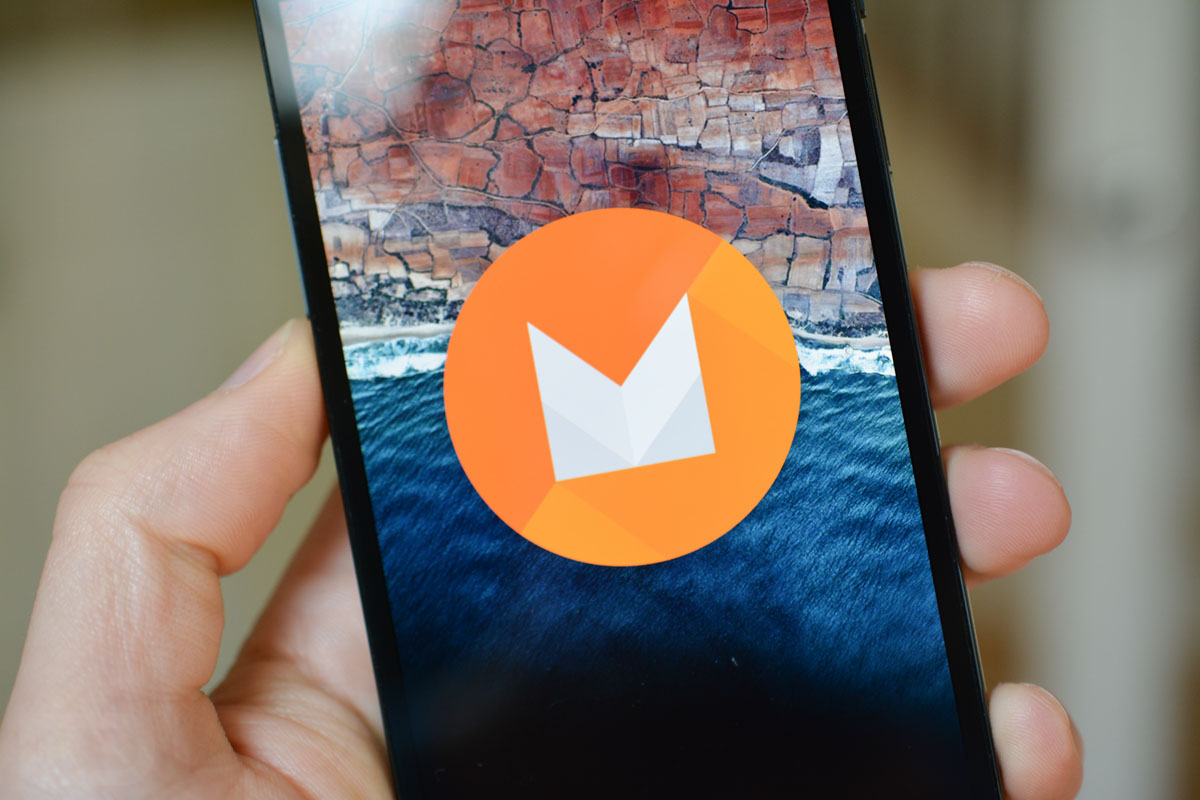
At Google I/O conference dated 28th of May, the software giant has revealed a new version of one of the most successful open source projects of all time, Android M. Many of us haven't even got the previous L version till date, but that doesn't signify that innovation will be stopped.
Features :
This time, Android is doing something seriously interesting, compressing the most useful features of custom OSes built in into the original stock.
1. Visual Voicemail
As the information we've got from the latest dev preview( Android M Developer Preview 2 ), it has a new interesting Voice Mail feature accessible directly from the dialer screen, and the time duration, volume control and delete function can be seen, making it a "Visual" application.
That's all which'll matter to the users who are not concerned about how the device boots up, or which mechanism it uses to encrypt its data. There's still some dev previews coming out until the final, official release which is expected to be done about the November. Nothing to say, there's still more you'll be glad about once it reaches to your hand.
Features :
This time, Android is doing something seriously interesting, compressing the most useful features of custom OSes built in into the original stock.
1. Visual Voicemail
As the information we've got from the latest dev preview( Android M Developer Preview 2 ), it has a new interesting Voice Mail feature accessible directly from the dialer screen, and the time duration, volume control and delete function can be seen, making it a "Visual" application.
2. Re-orienting Home Screen
If you're the one who always wants to use the phone in landscape mode, this is for you. Android M is now supporting the rotation feature in the home screen, till L which was only available for the apps.3. RAM Manager
Till Android L, the RAM Manager didn't do anything meaningful that'll be visible to a newbie, but this version does. All the details related to various memory usages, is now in your hand, at a glance.4. App Permission
This is the thing, surely, 99% of privacy concerned users wanted badly, and now its yours. You can now manage each and every permission of an app you want to give it to, rather than as a whole permitting the app.5. Adopting storage devices
No more googling " how to move data of an app to sd card", Android M is doing it for you. It can "adopt" an external storage device as an internal storage, format and encrypt it as an internal one, and move all apps an personal data in that storage without a hustle. Android is growing up man!6. Visual improvements
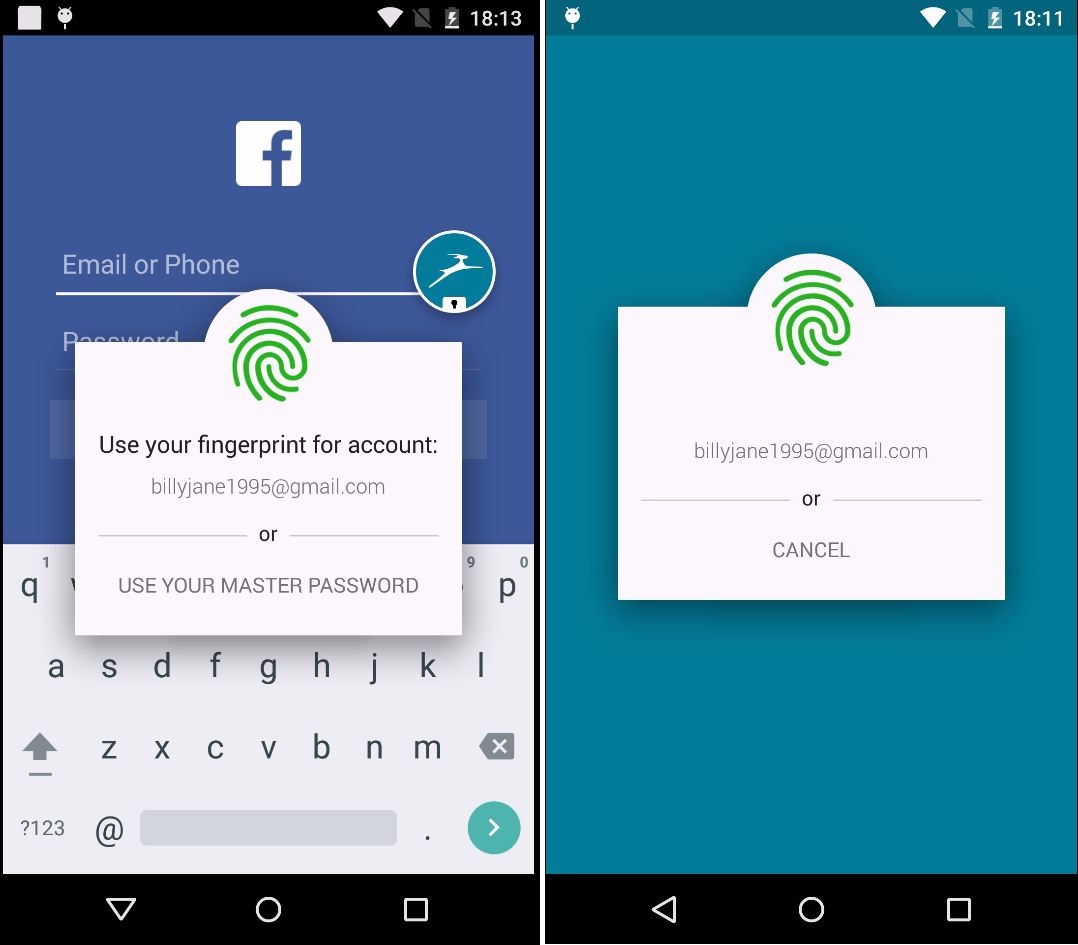
The users who want to make their device looking "smart", was scarified about the unmeaningful, dark looks of the Android in various places, which is now replaced with a more flat looking, less blacky, "smart" theme. There are several improvements like vertical app drawer, customising the status bar and more.7. Fingerprint Support
Sounds interesting, doesn't it? We mean how it would be if your device can actually know its you and unlocks some confidential data? This time its gonna do so. With proper hardware support, it can now recognise your fingerprint. That means you can work in more peace without watching if someone else if getting their hands on your device. Hola!That's all which'll matter to the users who are not concerned about how the device boots up, or which mechanism it uses to encrypt its data. There's still some dev previews coming out until the final, official release which is expected to be done about the November. Nothing to say, there's still more you'll be glad about once it reaches to your hand.
"64 bit SoC for an android device"
all you need to know about :
- Recent device manufacturers and seller are adding a new term alongside its processor - "64 bit".
- Practically Android L is the first OS to make the most of the "64 bit" CPUs.
- It's about performance surely, but it's not only about the performance.
- Lower power consumption, more rapid data access, more vast operations and most important is more security - all are the features of a 64 bit CPU. But that doesn't mean it'll give just the double performance than the older and widely used 32 bit CPUs.
- There are some concepts that 64 bit CPU can access more, far more than 4GB of RAM and hence will be much faster, but that's just in words as we currently and in near future, will not need to do something unhuman works to our device, which will make them use of atleast 4GBs of RAM.
- However, more is better and appreciable always, so as a whole 64 bit CPU. But, if you're in a 32 bit CPU, never feel left out. As in regular usage, you'll hardly see any visible difference between them.
Subscribe to:
Posts (Atom)